Vocabulary practice: games, sprint, review and mistakes in one place
Fluera offers six vocabulary activities that share one dictionary. Three browser games combine vocabulary questions with arcade action, a sixty-second sprint checks how quickly you recognize familiar words, Review repeats words when they are due, and Mistakes concentrates on what you got wrong. Whatever you choose, you practice English, Spanish or French words from your own course, and every answer updates your learning progress.
Choose an activity
{# Crawlable fallback for the same cards mounted by PublicPracticeCards.jsx. Decorative SVG artwork is added by the shared client card component. #}How vocabulary practice is organized
Games: Fluera Tower, Fluera Jump and Fluera Run
The three vocabulary games turn word questions into movement.
In Fluera Tower correct translations earn you gold to build and upgrade towers.
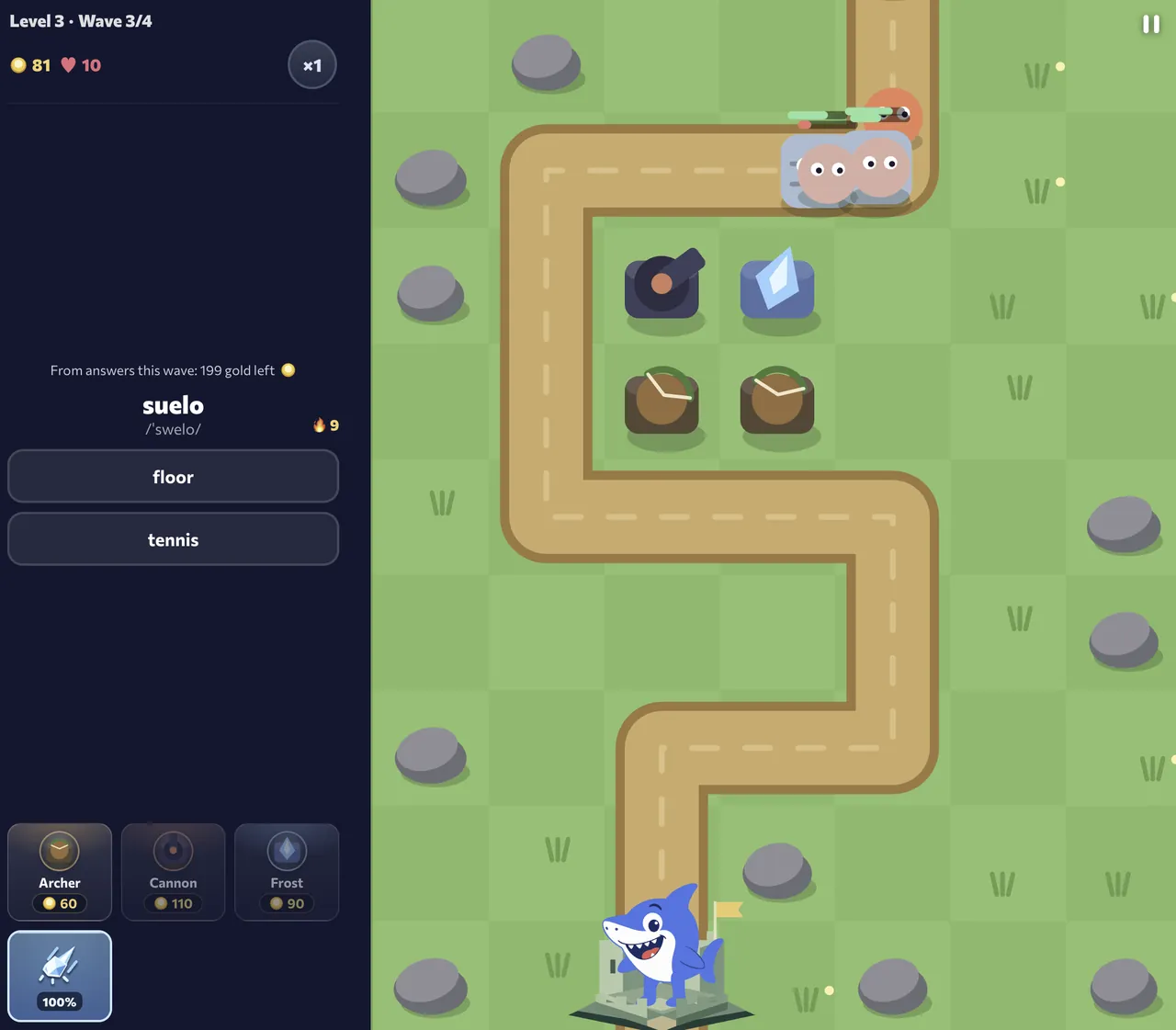
Screenshots show the English interface and Spanish vocabulary; the words and translations in your session depend on the selected course.
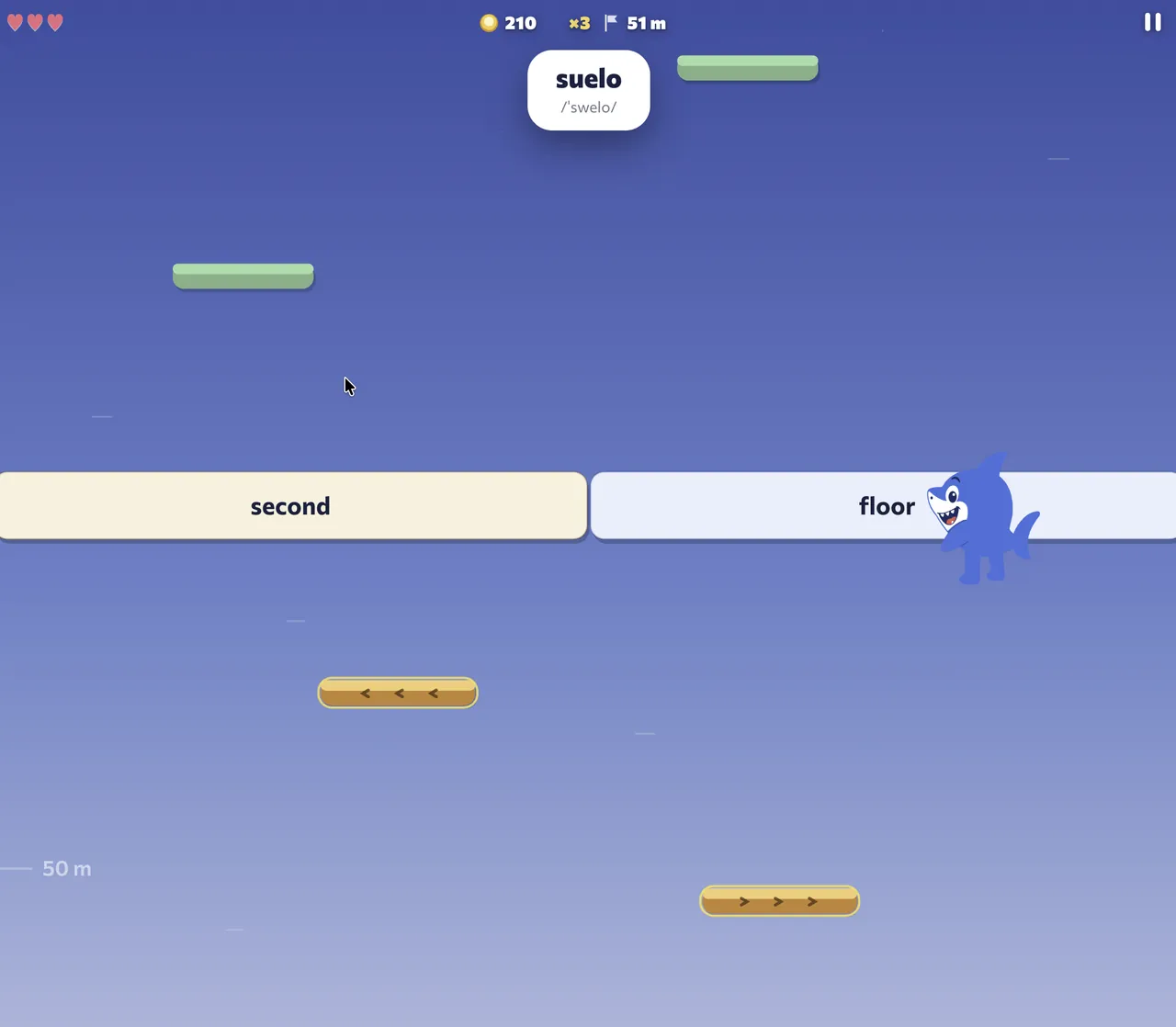
In Fluera Jump you steer onto the platform with the right answer.
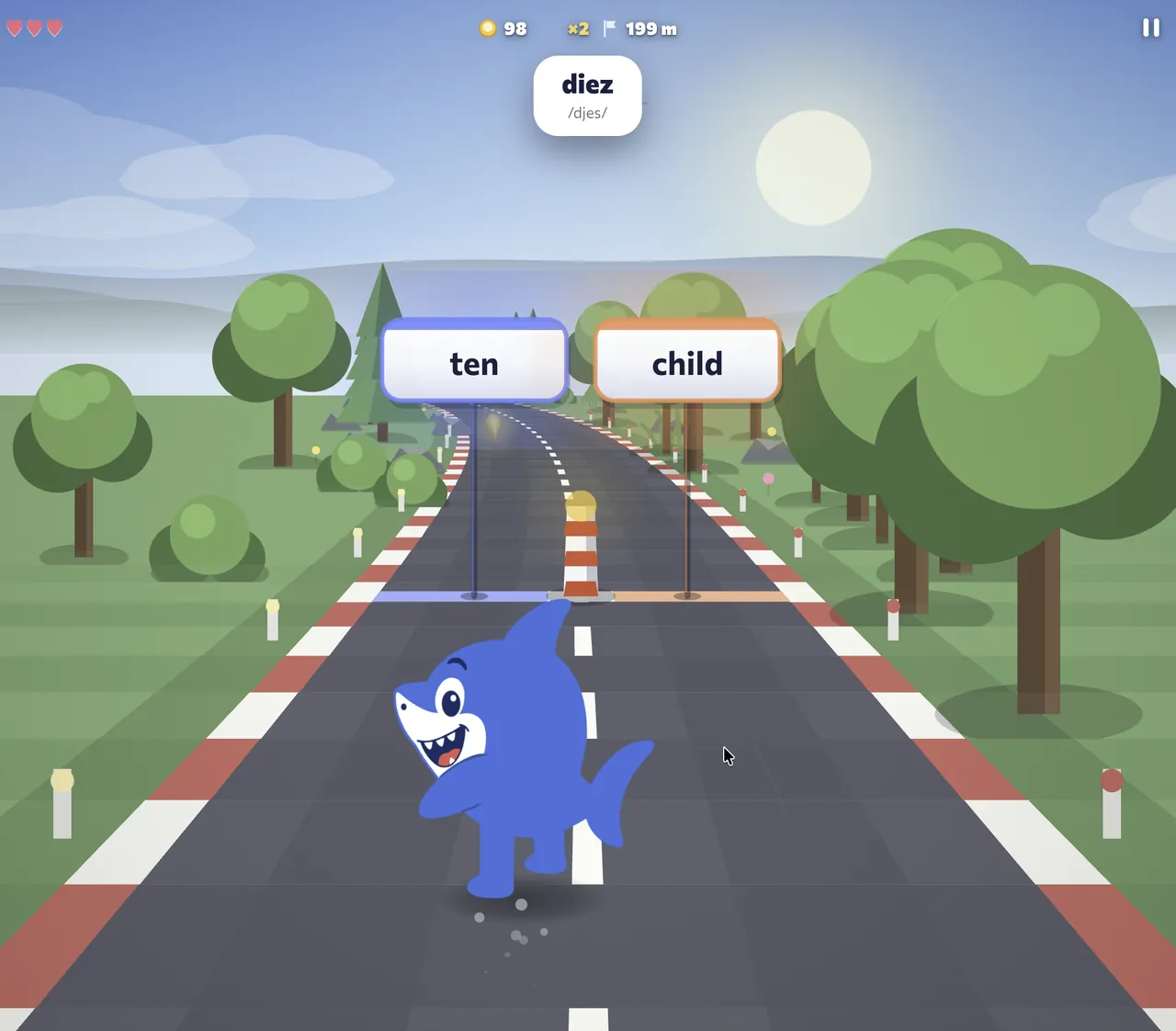
In Fluera Run the answer is the lane you run into.
You can play as a guest and answer vocabulary questions as you go.
Vocabulary Sprint
Vocabulary Sprint is a timed quiz: sixty seconds, as many translations as you can. It helps you check how quickly you recognize words and find the ones that still make you hesitate.
Review
Review is spaced repetition. Words you have met anywhere in Fluera come back when they are due, in sentence exercises, until they are marked as learned. It needs an account because the queue is your own.
Mistakes
Work on mistakes repeats only the words you got wrong, from lessons, lists, sprint and games. An account is required to build the session from your answer history.
One dictionary behind every activity
The point of Fluera’s practice is not the number of exercises but the progress they share. Each word you learn has one record with a status: new, learning, needs review or learned. A lesson introduces the word, a game tests its meaning, a sprint catches a mistake, Review brings it back on schedule, and Mistakes clears the error. No word is treated as new twice, and nothing you got wrong is forgotten by the system.
Your learning progress also helps determine which words appear in games. With an account, Fluera Tower, Fluera Jump and Fluera Run first show words that are due for review, then words you are learning, then new words. Playing is reviewing.
Which words you practice
You can practice English, Spanish and French, with translations into English, Russian, Spanish, French or German depending on your course. Levels run from beginner to upper intermediate (A1–B2) and are chosen when you start. The words come from course vocabulary, your own word lists, and words imported from texts, videos and songs.
How to build a practice routine
Warm up with a sprint: sixty seconds lets you check which words you recognize quickly. Then clear your mistakes in a short session on the words the sprint found, and do your review, whatever is due, in context. Finish with a game. Ten minutes of Fluera Run or Fluera Tower adds repetitions without feeling like study, and counts toward your streak.
Any one of these on its own is worth doing; together they take about twenty minutes.
Choose a language
On your phone or computer
All activities run in the browser on a phone, tablet or computer, and inside the Fluera app for iPhone and Android. Use the controls shown in each game; no installation is required.
Guests and accounts
You can start the games and the sprint without an account. Guest access is subject to usage limits, and guests get words of the chosen level rather than a personal queue. Review and Mistakes need a free account because they are built from your own learning history. Sign in when you want every activity to work on the same dictionary and your progress to follow you across devices.
Choose the practice that answers today’s question
Start by deciding what you want to find out. If you recognize a word but cannot use it in a sentence, choose a lesson or a list exercise with context. If you have already studied and want to revisit the vocabulary at the right time, open Review. If a recent answer was wrong and you want to understand why, open Mistakes. If the meaning comes slowly even though the word looks familiar, try a Sprint or one of the games. These are different tasks; a longer session is not automatically a better match.
There is no need to finish all six activities every day. On a busy day, one focused session can be enough for the time you have. On another day you might spend longer reading examples before playing. Choose a stopping point before you begin, such as finishing the current practice session or playing one campaign level, rather than trying to empty every screen at once.
When the words are almost all unfamiliar
Repeated guessing is a sign to introduce the vocabulary first. Open a course lesson or a small word list, look at the meanings, and listen to the available pronunciation. Read an example to see how the word fits with its neighbors. Then return to practice and check whether the meaning comes to mind before you inspect the choices. The first aim is to understand a manageable group of words, not to increase the number of questions on the screen.
When you know the answer but keep pressing the wrong control
Game controls add a separate challenge. A missed platform or a late lane change does not always mean you misunderstood the word. Try a short round with familiar vocabulary while you learn the movement, or choose a practice format where you can tap the answer directly. Once the controls feel comfortable, you can pay more attention to the language. Compare results within the same mode so that movement difficulty does not hide what you have learned.
Read your results as learning feedback
A percentage summarizes the answers in one session. It does not measure every word you know, your listening ability or your ability to hold a conversation. A high percentage with familiar words and a lower percentage with new material can both describe useful practice. Look at which words made you hesitate and what kind of error happened, rather than treating a single number as a language grade.
If you recognized a translation only after seeing the correction, revisit its example. If you confused two similar words, write down the difference in meaning. If you knew the meaning but could not build the sentence, work with the sentence instead of simply repeating the same translation choice. This gives the next activity a clear purpose and makes the shared dictionary useful beyond the score.
A routine for three different situations
You have just completed a lesson
Stay with the vocabulary you have introduced. Check the words that still feel uncertain in the dictionary, then choose a short practice activity. The feed may include other course words as well; it is not a promise that every question will repeat the lesson you have just finished. For an exact selection, use the word list or the selected-word practice available from your dictionary.
You are returning after a break
Begin with the due words rather than adding a large new list immediately. Take time to read corrections and stop when your attention drops. You do not need to recover every missed day in one sitting. A break may make familiar words feel slower, but the next useful action is still a specific one: review a meaning, study an example, or correct an error.
You want to work on vocabulary for a real task
Choose a relevant list or collect the words you need for reading, travel or work. Study them in context before using a faster activity. A course-based game is useful for broader recognition practice; it should not be treated as a guarantee that your next round will contain only a handpicked topic. Keep the exact-topic work in the list and use the other activities to vary how you revisit vocabulary.
Keep the course and the goal aligned
Check both the language you are learning and the language used for translations before you start. The interface language describes the menus; the course direction describes the vocabulary task. Available directions differ by source language. When changing courses, assess the new vocabulary on its own: a score from Spanish beginner words is not directly comparable with a score from a different French word set. Use each activity to answer a small question about your learning, then choose the next step from that evidence.
Frequently asked questions
Is vocabulary practice on Fluera free?
Which activity should I start with?
Do the games really help me learn, or are they just fun?
Can I practice words from my own lists?
Do I need to complete every activity?
Learn words in context
Practice reinforces words you have met. For new vocabulary with example sentences and audio, continue with a word list or a language course.