Work on mistakes: practice the words you got wrong
Mistakes is a practice session built only from the words you have missed. Every wrong answer in a lesson, a word list, a sprint or a vocabulary game puts the word in this queue. Open the page, run a session, and you repeat exactly the vocabulary that gave you trouble, in English, Spanish or French, until you answer the questions about those words correctly and they return to the regular review schedule.
What Mistakes practice does
Mistakes practice selects words from your own incorrect answers. Its scope is narrower than a general vocabulary activity: you work on the words that caused difficulty instead of choosing a new topic. The size of the session depends on your current queue.
The queue is filled automatically. You never have to mark a word as difficult or build a list of problem words; a wrong answer anywhere in Fluera is enough.
How mistakes practice works
1. Mistakes are saved across activities
If you get a vocabulary question wrong in a lesson, a word list exercise, Sprint or a game, the word is marked as “needs review” and appears here.
2. Open your mistakes
The page shows the words you missed recently. Start a session and they come back in translation and sentence exercises.
3. Answer them again
A correct answer takes the word out of the mistakes queue and back into the regular review schedule. A wrong answer keeps it here for another round.
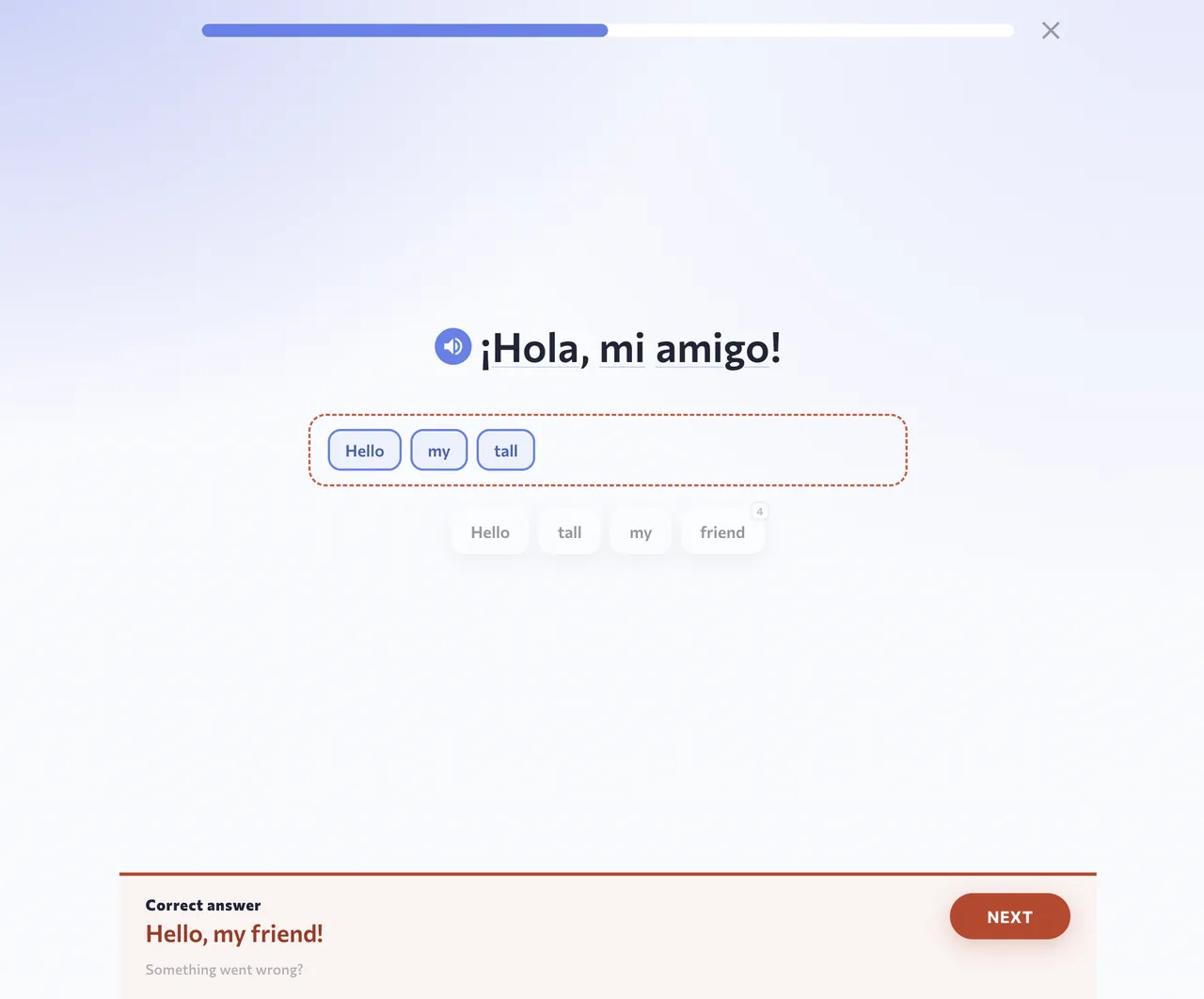
Screenshots show the English interface and Spanish vocabulary; the words and translations in your session depend on the selected course.
4. Watch the queue shrink
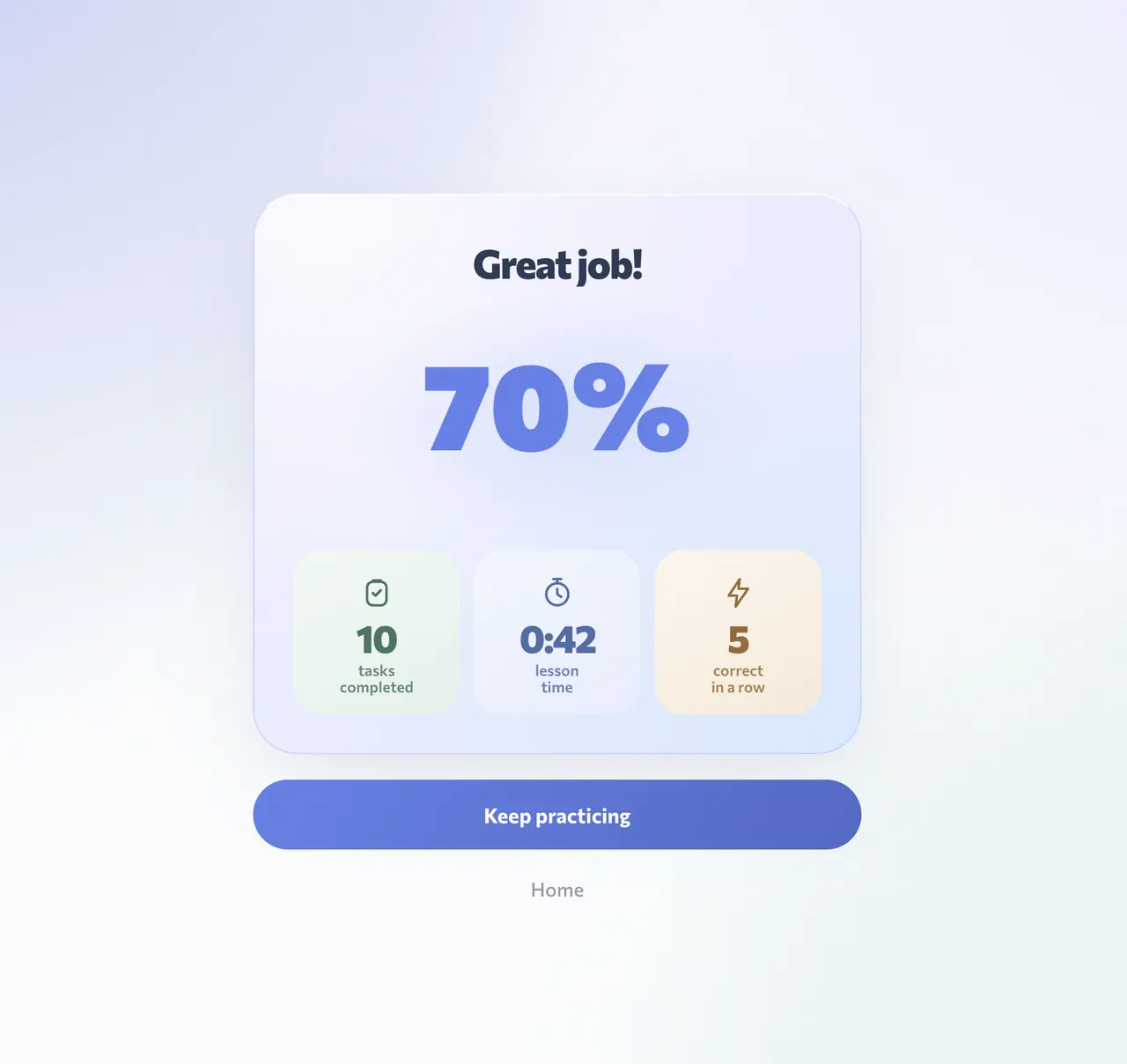
Because only missed words are included, a session usually ends with an empty or nearly empty queue. That is the goal: an empty mistakes page means nothing is currently blocking you.
5. Continue learning
When the queue is empty, continue a lesson, study a word list or play a game. New mistakes will collect here as you go.
Which words appear here
Words you got wrong during practice: course vocabulary in English, Spanish or French at any level, words from your own lists, words imported from texts, videos or songs, and words missed in Fluera Tower, Fluera Jump, Fluera Run or the sprint. A learned word you miss in a game also comes back through this queue.
Why practicing your mistakes works
Focus on the words that need attention
The queue helps you focus on words that caused difficulty in earlier activities.
Learn from the correction
After a wrong answer, read the correct translation and try recalling it again later. This gives you a chance to understand the mistake and practice the meaning.
Tell similar words apart
Many mistakes happen because two words look or sound alike. Example sentences for each word help you understand the difference.
Connect corrections with other practice
Use Mistakes to work on difficult words, then continue with scheduled review or a game.
Mistakes and the games
Vocabulary games can help you find words that need practice. In Fluera Run, you answer vocabulary questions as you run. Wrong vocabulary answers are added to your mistakes queue. Play a round, then open Mistakes to fix what the game found.
On phone and computer
Mistakes practice works in the browser and inside the Fluera app for iPhone and Android. Sessions are short, so you can fit one in on your phone while waiting in line.
Account required
An account is needed for personal review and mistake practice, because the queue is built from your own learning history. A new account may have an empty queue: start with a lesson, a word list or a game to build one. Registration is free.
Understand the error before repeating the answer
Start with the correction, but do not stop at memorizing the highlighted option. Ask what led you to choose the other answer. You may have confused two similar-looking words, missed part of a phrase, or understood the meaning but made a spelling error. Each case suggests a different kind of practice. Repeating the same choice without identifying the confusion can leave the underlying problem unchanged.
If two words are mixed up, look at an example for each and describe the difference in your own language. If the problem is a phrase, read the complete expression rather than one familiar word inside it. If the meaning is clear but the exercise asks you to build a sentence, check the full correction and the order of its parts.
A simple way to use a mistakes session
Read what the exercise is asking
Before answering, identify whether you are choosing a translation, filling a gap or constructing a sentence. The same vocabulary can appear in different tasks. Do not assume that the answer you remember from the previous screen will be sufficient without reading the new prompt. Take the surrounding sentence into account when it is present.
Recall, then compare
Try to retrieve the meaning before using the alternatives as clues. If you cannot recall it, use the choices carefully rather than selecting at random. After feedback appears, connect the right answer to the original word or sentence. The useful memory is the meaning and its context, not the location or color of a button.
Decide what needs a separate explanation
Some errors are resolved by seeing the correction once. Others need an example, a dictionary entry or a return to the lesson. When the same confusion repeats, pause the repetition and study the difference directly. A short session where you understand your mistakes is more useful than a long series of answers you are still unsure about.
A game error can contain two different problems
Games add movement to the language task. You may recognize the right translation but steer too late, or reach the correct answer by luck. The result alone does not explain which happened. When a word appears in Mistakes after play, use the calmer exercise to check the meaning on its own.
If the meaning is easy here, the game control may have been the difficult part. Try a more comfortable control mode or a short round with familiar vocabulary next time. If the word is still unclear without the movement, look at its examples before returning to the game. This avoids using an arcade score as the only evidence of what you know.
What clearing the queue does and does not show
An empty mistakes queue means that there are no words currently selected for this practice session. It is a useful stopping point, not a certificate that you will never confuse those words again. A recent correct answer can still benefit from later scheduled review, especially when the correction was fresh in your mind.
There is also no reason to deliberately answer wrongly to populate the page. If you want extra work on a particular word, select it in your dictionary or practice its list. Mistakes follows actual answer history; an exact selection is the better tool when you already know what you want to study.
Work with a recurring confusion
Keep the follow-up small. Choose one difficult word and one word you confuse it with, read their examples, and explain how their meanings differ. Then return to an exercise and see whether the distinction helps. Adding a large unrelated list at the same time makes it harder to tell whether you resolved the original problem.
For spelling, read the corrected form carefully and notice the part you omitted or changed. For a sentence, compare the complete construction rather than only the first different word. These are suggestions for your own study process; the queue itself collects missed words and does not diagnose every possible reason for an answer.
Choose the next step after corrections
Open Review if you want to continue with due vocabulary. Open a lesson or a list if the corrected words need more context or you are ready for new material. Return to a game if you want another recognition challenge after understanding the feedback. You can also stop: a short correction session is a complete activity on its own.
Judge its value by whether the difficult words are clearer, not by how many mistakes you managed to accumulate. Fewer questions may mean that this particular queue is smaller. There is no target number of errors that makes a learner’s session more serious or more successful.
Frequently asked questions
Is mistakes practice free?
Why is my mistakes page empty?
Do mistakes from the games count?
How is this different from Review?
Can I remove a word from my mistakes?
Learn words in context
Mistakes practice repeats words in sentences. For new vocabulary, examples and audio, continue with a word list or a language course.
Learn words in context · Learn Spanish · Learn French
More ways to practice
Review · Vocabulary Sprint · Games for learning languages · Vocabulary practice