Vocabulary Sprint: a 60-second vocabulary quiz
Vocabulary Sprint is a timed vocabulary quiz. You get sixty seconds, a stream of words from your course and several translations for each one. Pick the right translation, move on, and see how many you managed when the timer runs out. It is a quick way to practice recognizing words in English, Spanish or French, and it works in the browser on a phone or computer.
What Vocabulary Sprint is
Some vocabulary tests aim to estimate your level. The sprint is short and tells you how quickly you recognize familiar words. Sixty seconds is enough for dozens of words if you recognize them at once, and for far fewer if you have to think. Do a sprint before a lesson to warm up, after a lesson to check what stuck, or on its own whenever you have a spare minute.
The sprint is a vocabulary exercise rather than an arcade game, so it sits alongside Review and Mistakes in Fluera’s practice section. If you want movement and lives, try the vocabulary games instead.
How the sprint works
1. Choose a language and a level
Select the language you are learning, English, Spanish or French, and the level of words from beginner to upper intermediate.
2. Start the timer
Press start and the first word appears with its translation options. The sixty-second timer runs in the corner.
3. Translate as fast as you can
Tap the correct translation. After a correct answer, the next word appears immediately. After a wrong answer, the sprint briefly shows the correct translation before moving on. Try to answer accurately before the timer runs out.
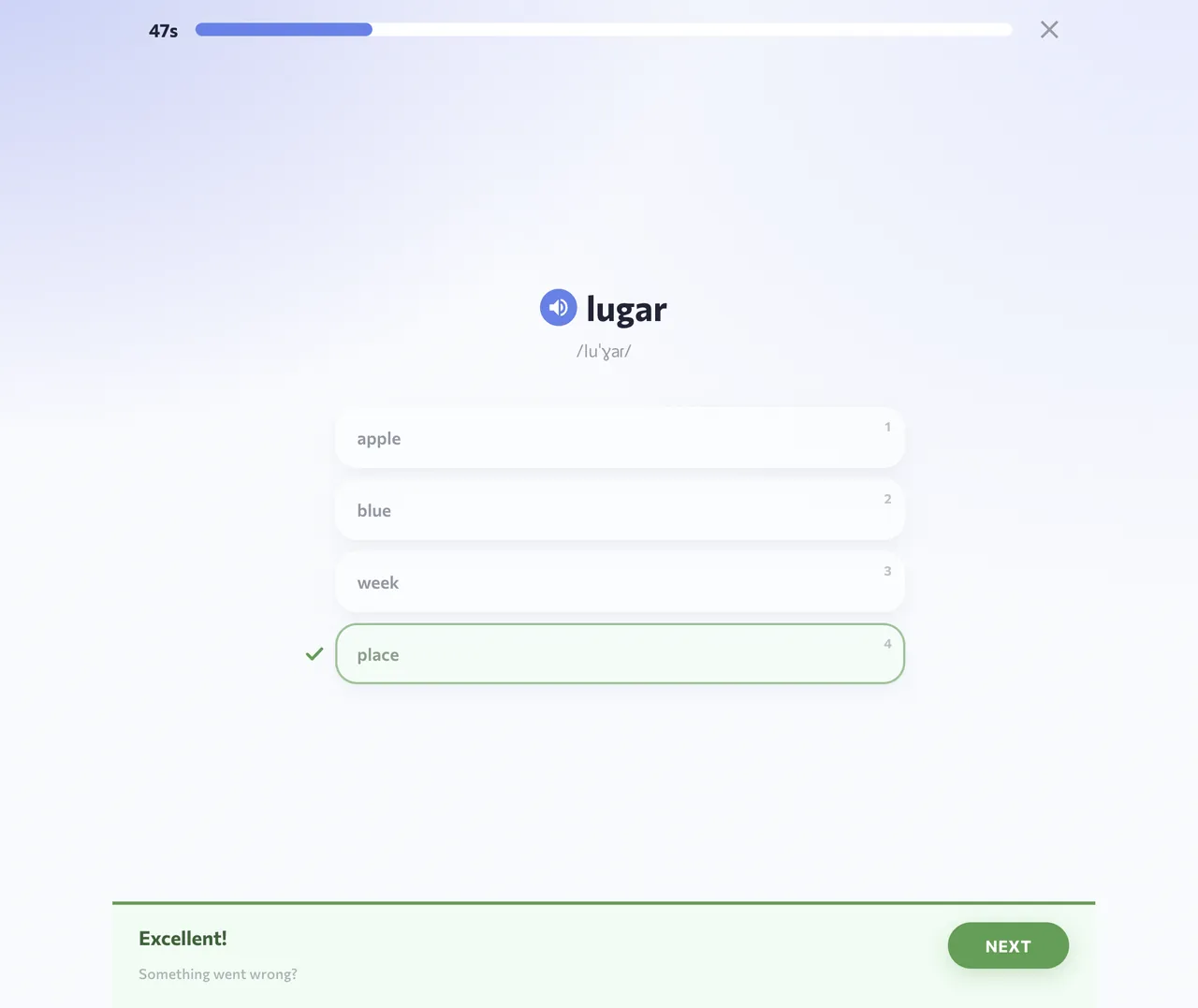
Screenshots show the English interface and Spanish vocabulary; the words and translations in your session depend on the selected course.
4. Read your result
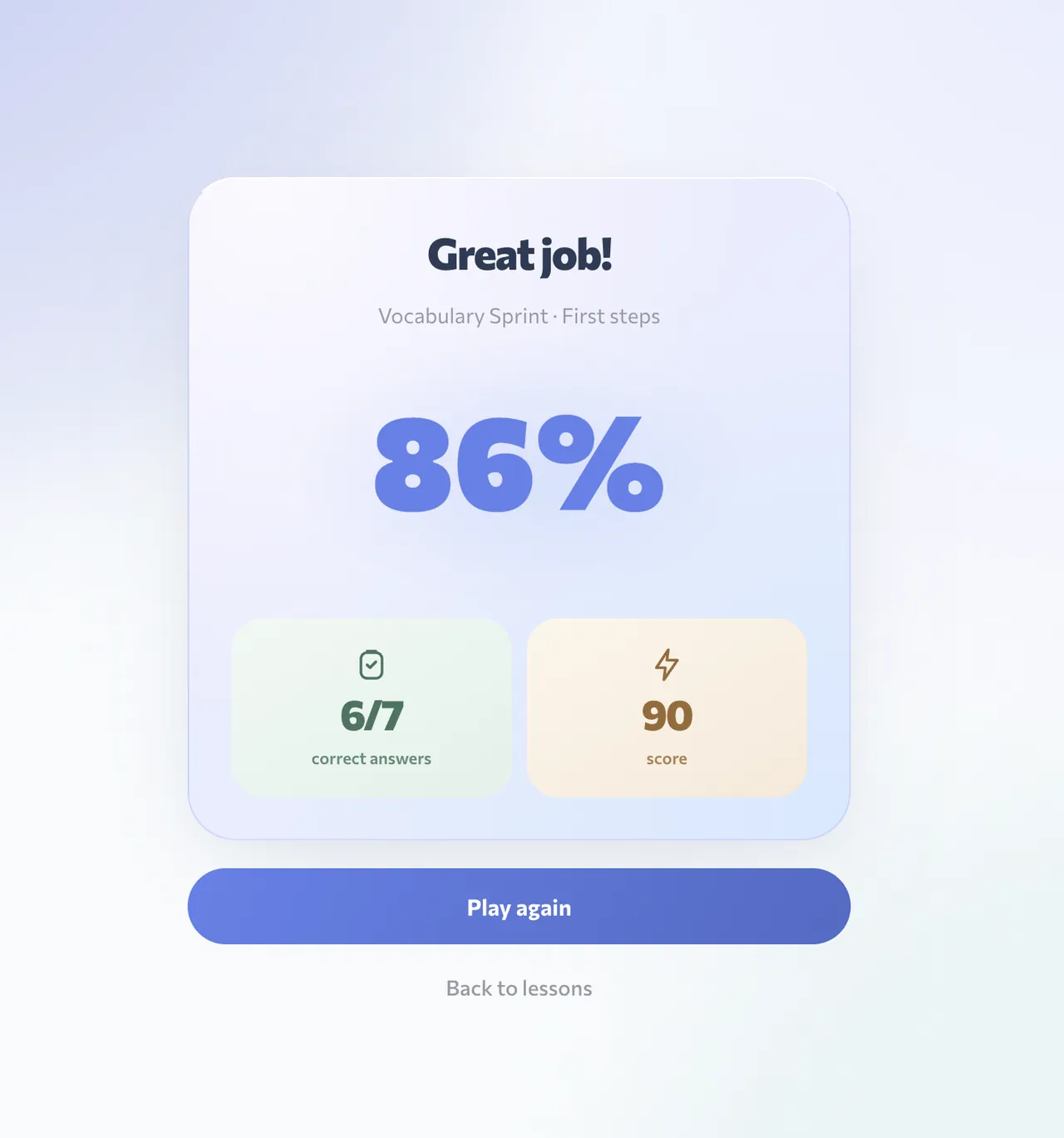
When time is up the result screen shows how many questions you answered, how many were correct and which ones you missed. Your best sprint result is saved to your account.
5. Run another round
The next sprint draws on the same course, so missed words have a chance to come back. Two or three rounds, with time to check your mistakes, can fit into a short study break.
Which words you practice
The sprint uses words from your course with translations into your own language. Read all the translation options before choosing the one that matches the word. When you sign in, the sprint uses your learning progress to choose words and saves your answers: words you get wrong join your mistakes queue, and correct answers count as repetitions. As a guest you get words of the chosen level.
Why a timed vocabulary quiz helps
It measures recognition, not recall from a list
The sprint asks you to recognize a written word and choose its meaning while the round continues. This helps you practice recognition under time pressure. Listening, pronunciation and using words in sentences require separate practice.
It finds the gaps
Words you get wrong under time pressure may need more practice. Check them on the result screen, then return to them in Review or Mistakes.
It fits anywhere
You can complete a sprint while waiting for your coffee. Regular short sprints add up to hundreds of repetitions a week.
It shows progress
Compare your count after a week of lessons with your first sprint. As familiar words become easier to recognize, you may be able to answer more questions correctly.
On phone and computer
The sprint runs in the browser and inside the Fluera app for iPhone and Android. Tap the options on a touch screen or click them on a computer; no installation is required.
Starting as a guest
You can start this timed vocabulary exercise without an account. Guest access is subject to usage limits. Registration is free and optional; sign in when you want the sprint to work on your own vocabulary and keep your best results.
What the result measures
The Sprint measures performance on a short set of translation choices against the clock. It combines recognition, reading speed and how quickly you select an option. It does not measure your entire vocabulary, assign an official language level or assess conversation. A strong result is useful feedback about this task, rather than a promise that every other language skill will be equally strong.
Read the number of correct answers alongside the number attempted. Answering more questions is not automatically an improvement if many more answers are guesses. Equally, a slower round with unfamiliar words may show where to study next. Compare the vocabulary and the conditions before deciding what a higher or lower score means.
Prepare for one useful minute
Choose the course and a suitable word level before starting. Use a device and a position where you can comfortably read the options. If you are testing a new input method or an unfamiliar screen, treat the first round as orientation. The time spent locating a button is not the same thing as the time spent understanding a word.
Give the next minute your attention rather than starting while you are also trying to read another message. If you are interrupted, do not use that result as a meaningful comparison with an uninterrupted attempt. A round is short enough that one distraction can affect a substantial part of it.
Accuracy before speed
Read the complete prompt. Similar-looking words and familiar fragments can tempt you to choose before you have identified the actual meaning. Try to recall the translation first, then compare the options. Speed becomes more useful when it follows recognition rather than replacing it with a habit of pressing the first plausible answer.
After a wrong answer, look at the correction even though the clock makes you want to move on. You can revisit the word after the round if the difference is not immediately clear. The purpose of a timed activity is not to make corrections disposable; they tell you which vocabulary needs a slower follow-up.
Compare attempts fairly
Use the same course and a comparable word level when tracking your own results. Different prompts have different lengths and degrees of familiarity. Switching from a mouse to a phone, changing the course or answering after a tiring day can alter the count. One round is a small sample, so avoid drawing a broad conclusion from a single unusually high or low result.
Notice changes over several sessions: fewer confused words, less hesitation on familiar meanings, or a better balance between attempted and correct answers. These observations are more informative than demanding a new record every time. You can improve your understanding even during a session that does not beat your best score.
Turn the result into a study choice
Many words were unfamiliar
Introduce the vocabulary with a lesson or a small list. Read the meanings and examples before returning to the timer. Repeating fast rounds without understanding the prompts may give you practice at guessing, but it leaves little time to build the missing word knowledge. A slower introduction is the useful next step here.
Most meanings were familiar, but answers were slow
Look at the words that made you hesitate and practice them again in context. A later Sprint can check whether they come to mind more readily. You do not need to remove all thinking time at once. Recognizing a previously difficult word without rereading it several times is already a specific change you can notice.
A small group kept causing mistakes
Use Mistakes with an account, or open the relevant words in your dictionary. Read examples that clarify their differences. Once the confusion makes sense, return for another round if you want to test recognition under time pressure. The correction work and the timed check serve different purposes.
Know when to take a break
One round can be a warm-up or a closing check. Several rounds can also be useful while you remain attentive, but a longer sequence is not required. If you begin choosing without reading or remember only where an option appeared, switch to another format. A list exercise, a sentence or a break may be the better use of the next few minutes.
The Sprint fits into a broader routine because each round lasts one minute. Finish the minute, understand the result and choose one follow-up. The record is there for comparison; it does not have to become the goal of every vocabulary session.
Frequently asked questions
Is Vocabulary Sprint free?
How many words are in a sprint?
Which languages does the sprint cover?
Does the sprint tell me my level?
Do wrong answers affect my progress?
Learn words in context
The sprint helps you practice recognizing translations. For example sentences, audio and broader practice, continue with a word list or a language course.
Learn words in context · Learn Spanish · Learn French
More ways to practice
Review · Work on mistakes · Games for learning languages · Vocabulary practice