Fluera Jump: a jumping game for learning vocabulary
Fluera Jump is a vertical jumping game with vocabulary questions. Fluera, the mascot, bounces upward on her own; you steer left or right. Between stretches of jumping, two boards meet in the middle, each carrying a translation of the prompt word, and the side you land on is your answer. Play in the browser on a phone or computer and practice Spanish, French or German vocabulary while you climb.
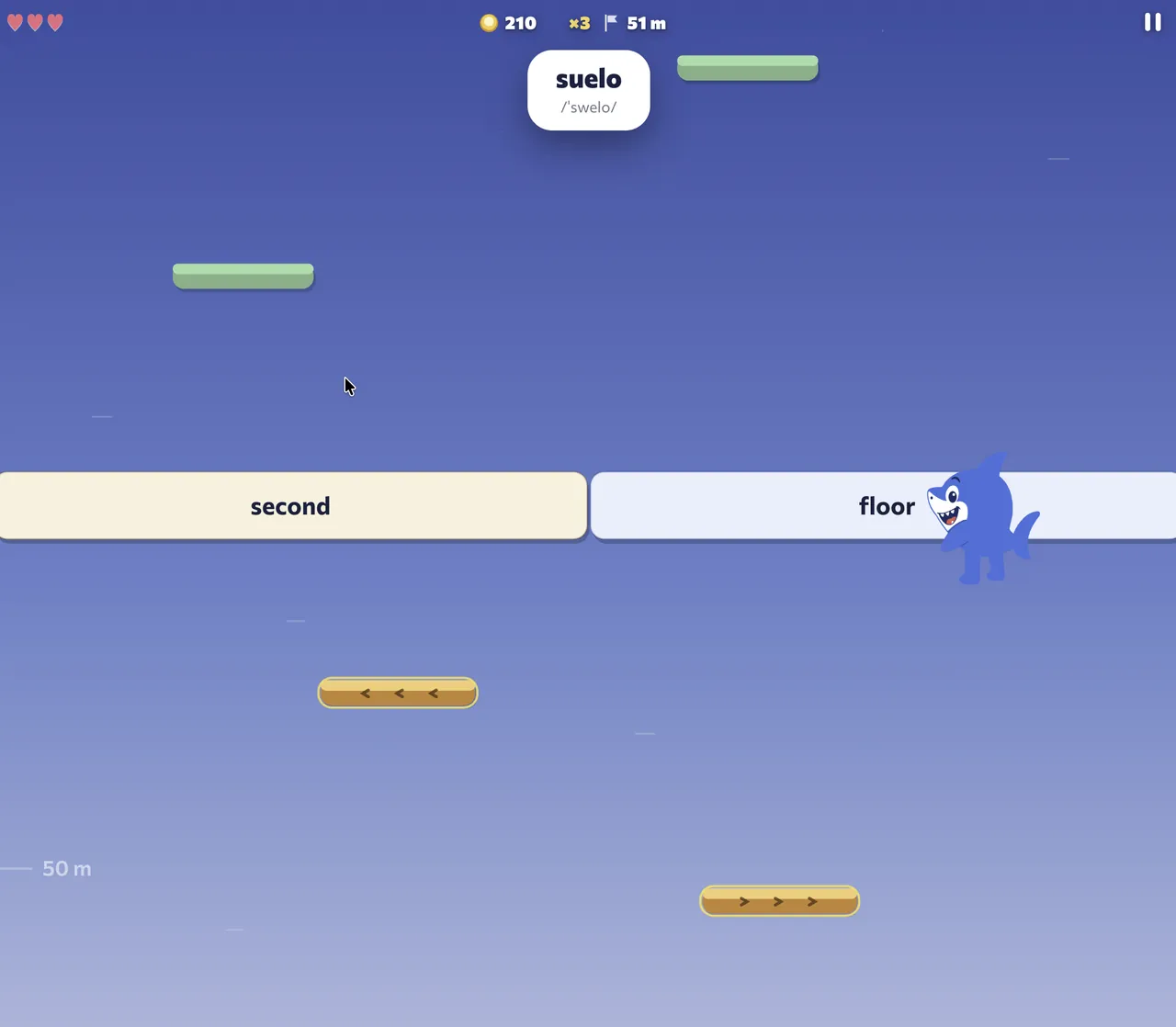
Screenshots show the English interface and Spanish vocabulary; the words and translations in your session depend on the selected course.
What Fluera Jump is
If you have played Doodle Jump online, the movement will feel familiar: an endless climb, platforms that appear above you, a fall when you miss. Fluera Jump keeps that rhythm and turns it into a word game. For most of the climb, you choose routes across small platforms, skip nearby rows and use springs for a higher bounce. These stretches alternate with question rows, where two boards close the gap and you land on the correct translation. The prompt and its audio appear only as you approach the question row.
Some platforms move up and down, and a rare propeller pickup carries Fluera above several ordinary rows. The flight ends before the next question, leaving room to read and choose a translation.
Because the answer is a movement rather than a tap on a button, the game trains fast recognition: you read the word while you are already in the air.
How to play Fluera Jump
1. Choose your course
Pick the language you are learning, Spanish, French or German, and the vocabulary difficulty. The game then feeds you vocabulary from that course.
2. Steer Fluera
Fluera jumps automatically. Drag your finger across the screen to move her left or right, hold the arrow keys on a computer, or turn on tilt steering and tilt your phone. A short tutorial shows the control you are using.
3. Read and land
When a question row approaches, the prompt word appears with a translation on the left board and one on the right. Aim for the correct board. Land on it and you keep climbing; the right board stays marked so you see the answer either way.
4. Keep your lives
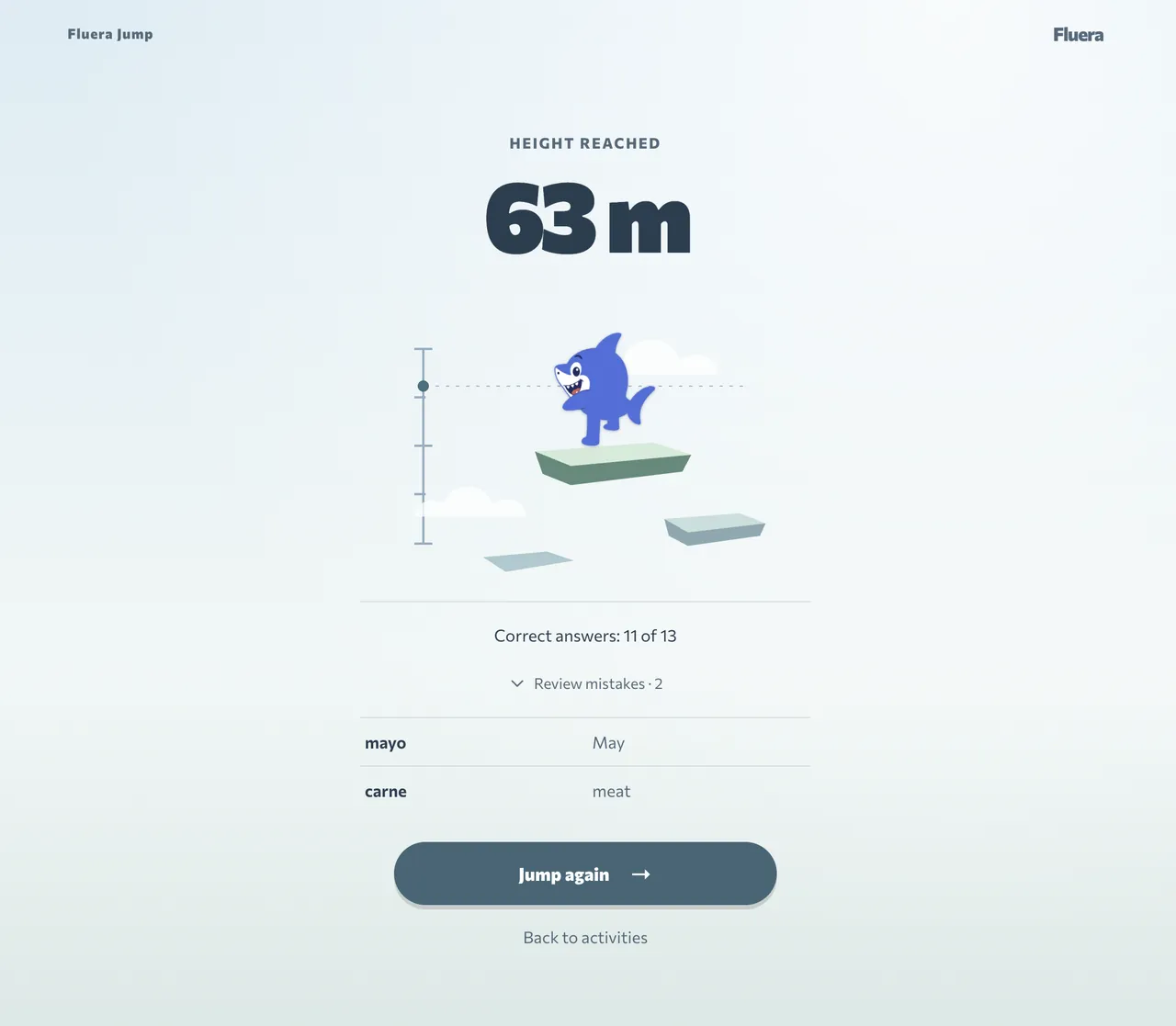
A wrong translation costs one life; while you have lives left, you continue from the same row. Falling below the screen also costs a life and returns you to the last answered question row, or to the start before your first answer. When your lives run out, the run ends and the result screen shows how high you climbed.
5. Climb higher
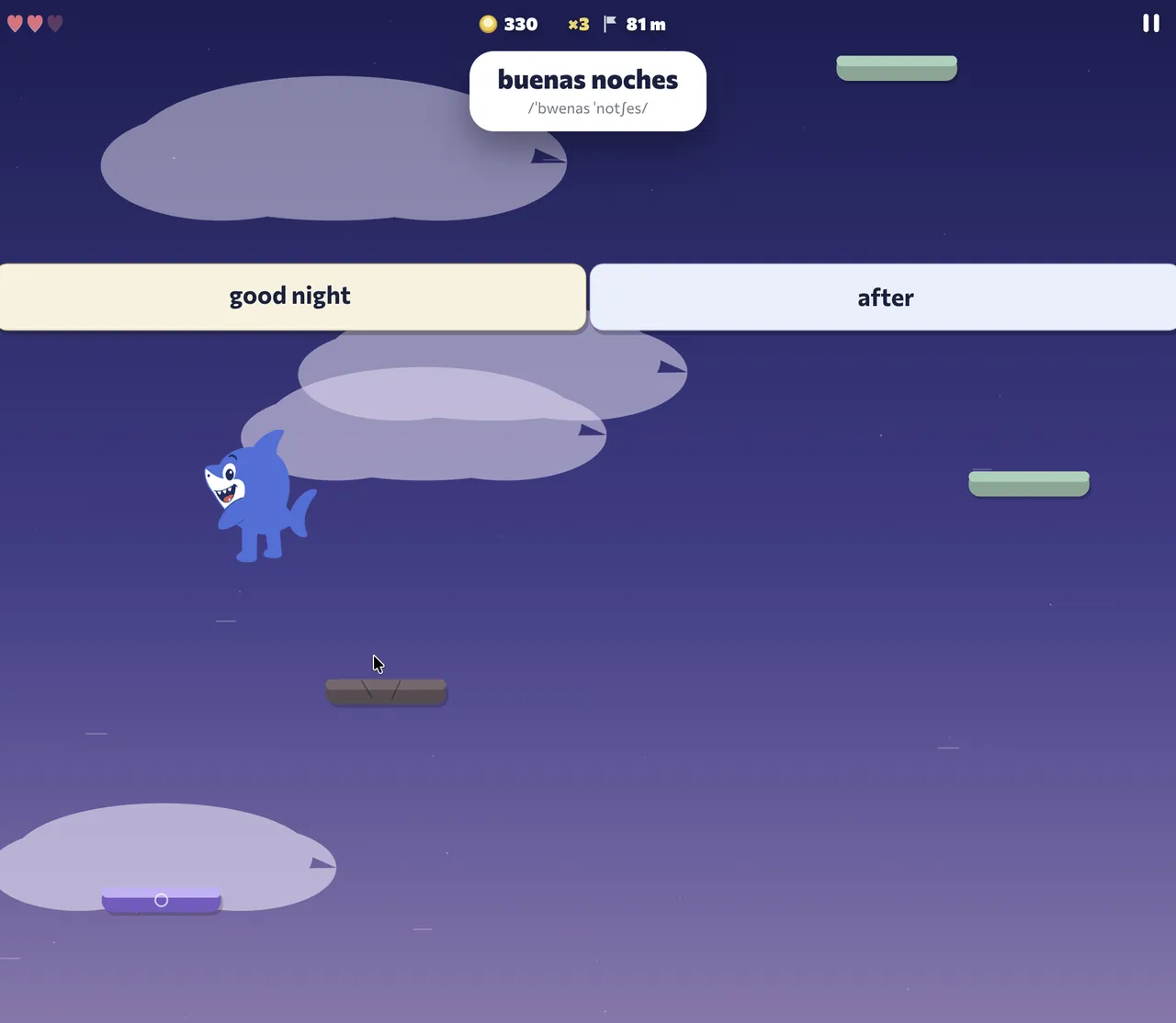
Height is measured in meters. As you rise, the scenery changes from meadow to sky and further, and the rows without questions get harder: platforms start to move and crumble. Your best height is saved so you can beat it next time.
Which words you practice
Fluera Jump uses words from the course you selected, with translations into your own language. When you sign in, the game uses your learning progress to choose words: words that are due for review come first, then words you are learning, then new words. A word you first meet in the game enters your dictionary as “learning” and returns for review the next day. Mistakes on words you had learned send them back to the review queue. As a guest, you get words at the chosen difficulty in random order.
The vocabulary includes everyday nouns, common verbs and adjectives, greetings, numbers, food, family and travel. You can also practice words for work and study, opinions, abstract topics and common expressions. Use the course examples to check how a word fits into a complete sentence.
Why a jumping game is good for vocabulary
Practice recognizing words while moving
The game asks you to recognize a written word and choose its meaning while the round continues. This helps you practice recognition under time pressure. Listening, pronunciation and using words in sentences require separate practice.
Choose between two translations
The distractor is a real word of the same kind, so read both translations before choosing a platform. Guessing costs lives; knowing the word costs nothing.
Mistakes stay on screen
After a wrong landing the correct board stays marked, so the right translation is the last thing you see before the next row.
Short runs, many words
Each round includes vocabulary questions. How many you answer depends on the length of the round and your pace. Choose a session length that leaves time to read corrections and return to difficult words afterward.
Controls on phone and computer
On a phone or tablet, drag a finger to steer, or enable tilt steering in the settings and tilt the phone. The game asks for motion permission on iPhone the first time you tap the field. On a computer, hold the left and right arrow keys to move Fluera toward the platform you want.
You can play in your browser without installing anything. On phones and tablets, our Fluera app for Android and iOS is the more convenient way to play. Choose your store below.


Progress and streaks
Your best height and score are saved to your account, and answering enough vocabulary questions in a run counts toward your daily learning streak and points, the same as a lesson. Guests keep their records in the browser until they sign in.
Playing as a guest
You can start playing without an account. Guest access is subject to usage limits. Registration is free and optional; sign in when you want the game to work on your own vocabulary and keep your progress across devices.
Learn the landing before chasing height
In your first run, pay attention to where Fluera is moving and when the question row comes into view. Read the prompt, compare the two translations, and choose the side before the landing. Large last-moment movements can turn a known answer into a missed board. A small early correction is often easier to control while you are also reading.
Use one steering method long enough to become comfortable with it. Switching between dragging, keys and tilt changes the movement challenge, even when the vocabulary is the same. If tilt is unavailable or uncomfortable on your device, use the other controls shown by the game. You do not need motion controls to practice the words.
Work out why an attempt ended
A wrong translation and a missed platform are different events. After the run, ask whether the difficult part was understanding the word, choosing the side or reaching the board. If the meaning was unfamiliar, check the correction and the word’s example. If you knew the answer but moved too late, spend the next short attempt learning the rhythm rather than choosing harder vocabulary.
Height combines movement skill and performance on the questions. A higher climb can be satisfying, but it is not a measure of every word you know. Look for smaller signs of progress too: a word you no longer confuse, a question you read without rushing, or a landing you planned early enough to make comfortably.
Avoid learning the side instead of the meaning
The useful connection is between the prompt and its translation, not between a familiar-looking word and the left side of the screen. Read both boards on each question. When you have time after a run, pick a difficult word and recall its meaning without the two options in front of you. Then use an example sentence to check that you understood the intended sense.
Two choices make the interface compact, but they also make a lucky answer possible. A correct landing by itself does not show that the word is ready for speaking or writing. Combine the game with contextual exercises when you want to move from recognizing a translation to using the vocabulary.
A short climbing session with a clear purpose
Choose one aim for the next run: get comfortable with dragging, read each correction, or practice familiar vocabulary with less hesitation. Finish the attempt and review one or two words that interrupted your flow. If most prompts are unfamiliar, return to a lesson or a small list before trying again.
You can also switch to Tower for a different rhythm or to a direct-answer exercise when movement becomes tiring. The goal is to keep enough attention on the words. Another attempt is useful when you know what you want to improve, not simply because the previous height was lower than your record.
Frequently asked questions
Is Fluera Jump free?
Is Fluera Jump like Doodle Jump?
Which languages can I learn in Fluera Jump?
Can I play with tilt controls?
What happens when I choose the wrong translation?
Learn words in context
Games help you practice recognizing translations. For example sentences, audio and broader practice, continue with a word list or a language course.
Learn words in context · Learn Spanish · Learn French · Games for learning German words
More ways to practice
Fluera Tower · Fluera Run · Vocabulary Sprint · Games for learning languages · Vocabulary practice