Fluera Run: an endless runner for learning vocabulary
Fluera Run is an endless runner where the track asks questions. Fluera runs forward on her own; a word appears, translations are placed on the lanes ahead, and you steer into the lane with the correct one. Some questions are answered with a jump or a slide instead. Play in the browser on a phone or computer and practice Spanish, French or German vocabulary at running speed.
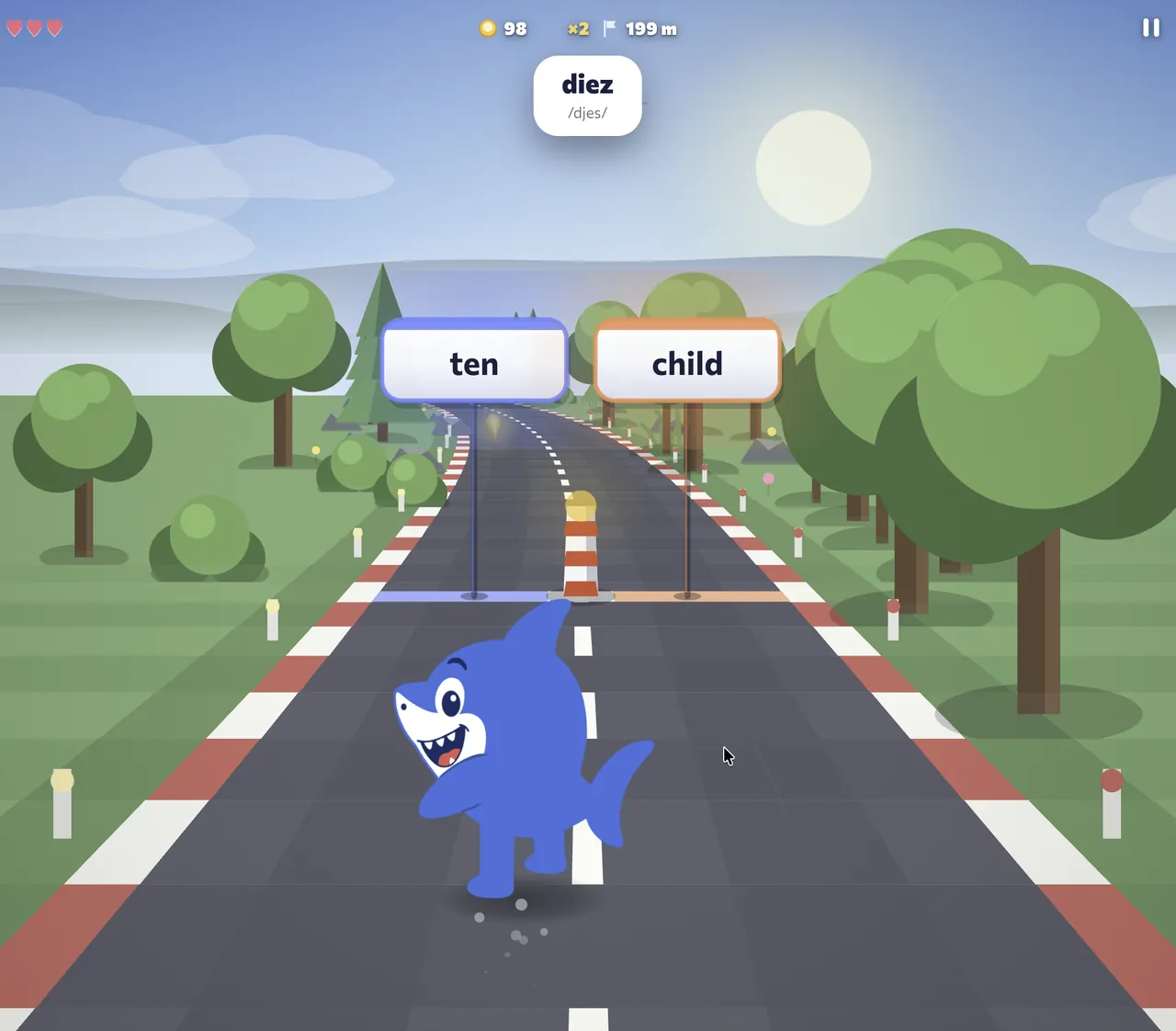
Screenshots show the English interface and Spanish vocabulary; the words and translations in your session depend on the selected course.
What Fluera Run is
Endless runner games reward quick decisions: left or right, jump or duck. Fluera Run keeps that pace and makes every decision a vocabulary question. The prompt word is shown, the possible translations are laid out on the lanes or above and below the track, and the move you make is your answer. Choose right and Fluera keeps running; choose wrong and she stumbles, loses a little momentum and shows you the correct translation.
The words come from Fluera’s language courses, so what you practice in the runner is the same vocabulary you meet in lessons, word lists and Review.
How to play Fluera Run
1. Choose your course
Pick the language you are learning, Spanish, French or German, and the vocabulary difficulty. The game feeds you vocabulary from that course.
2. Read the word
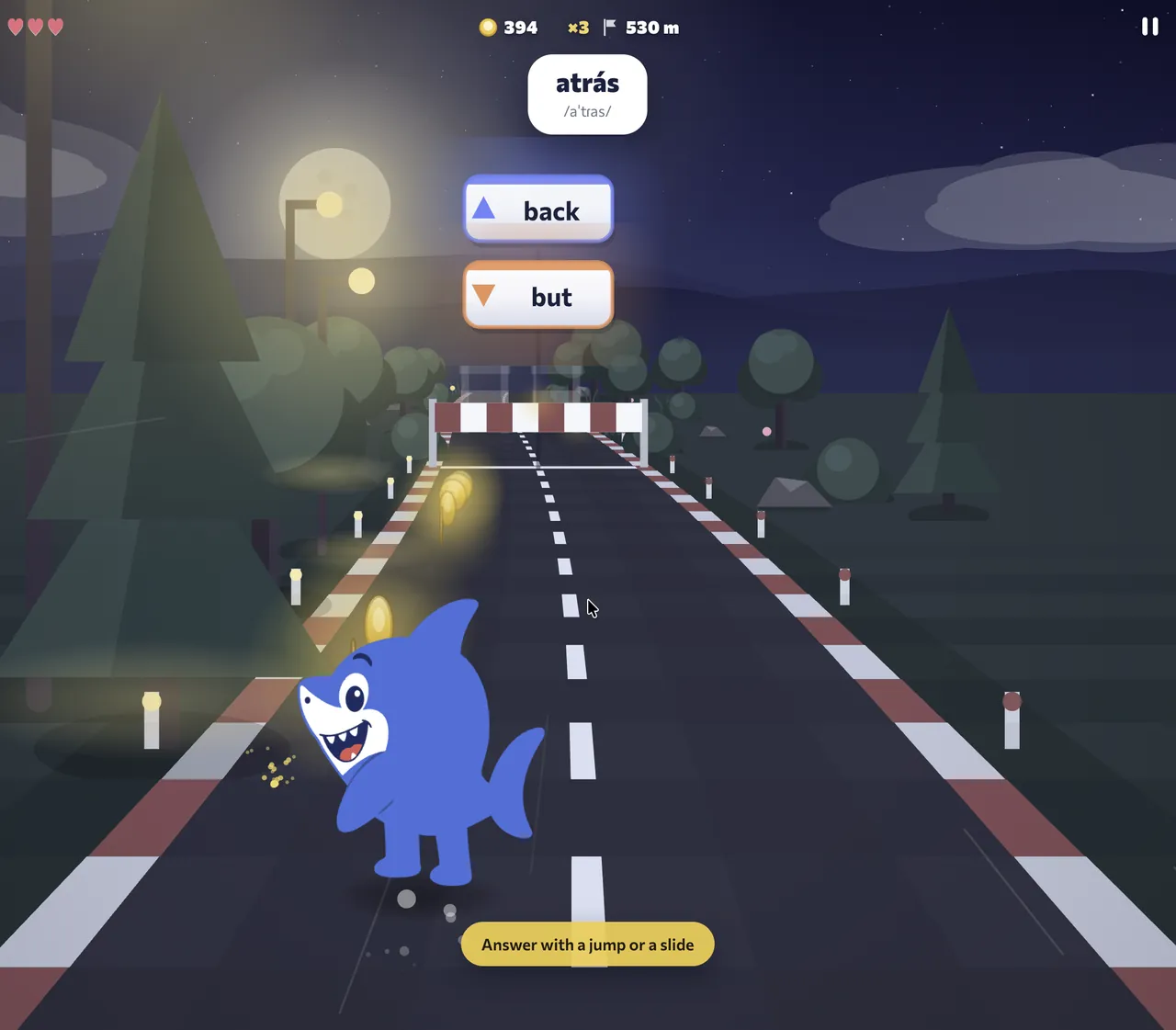
A prompt word appears above the track. Translations are placed on the lanes ahead, or one above and one below when the question is answered with a jump or a slide.
3. Move into the answer
Swipe left or right to change lane, swipe up to jump, swipe down to slide. On a computer use the arrow keys. The lane or the move that carries the correct translation is the right answer.
4. Avoid stumbles
A wrong answer makes Fluera stumble and shows the correct translation. Stumble too often and the run ends. Distance in meters and your score keep growing for as long as you stay on your feet.
5. Run again
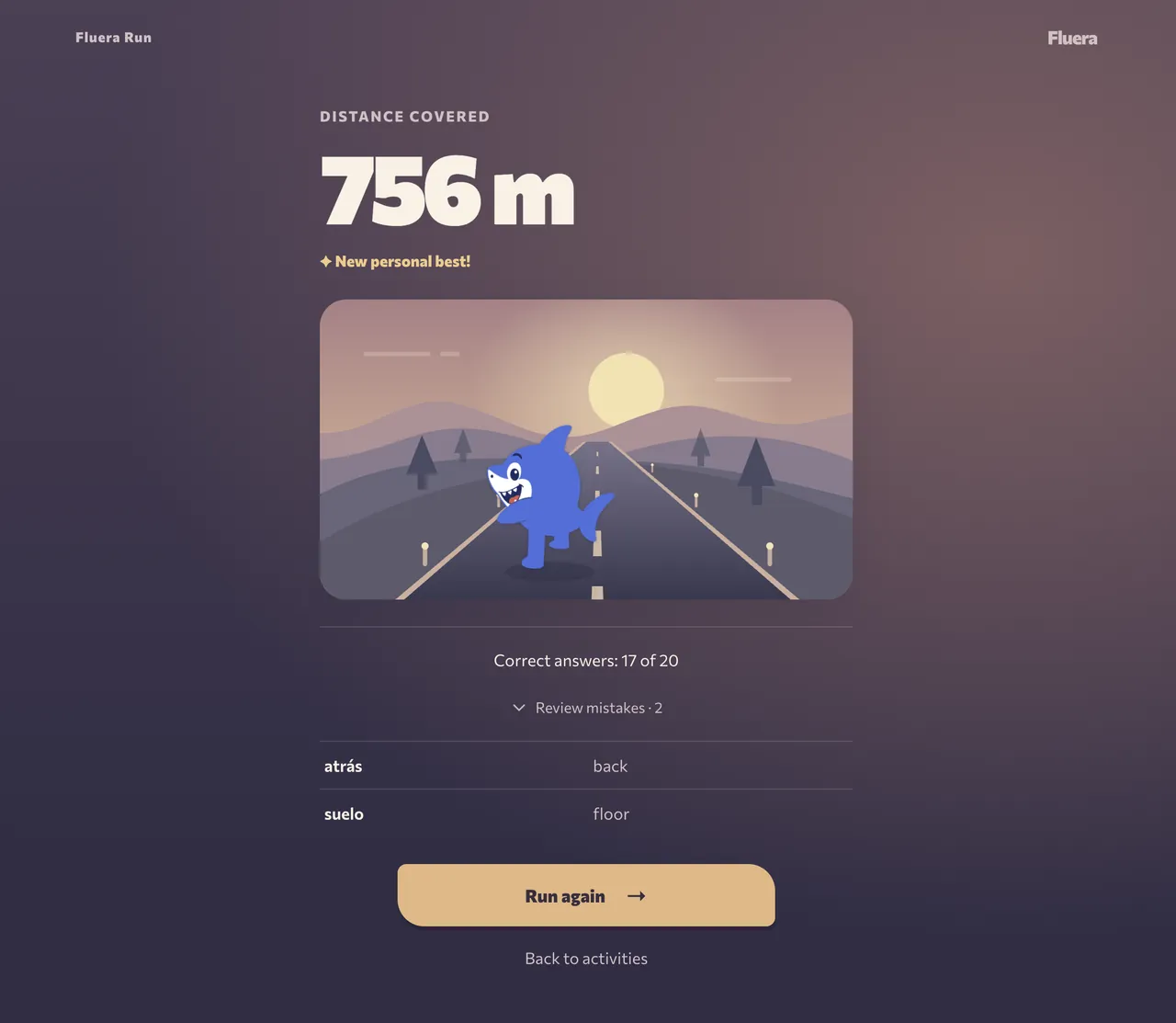
The result screen shows your distance, score and the words you missed. Start another run to improve your record; the missed words will return.
Assist mode
If you would rather concentrate on the words than on the reflexes, turn on assist mode. Fluera jumps and slides on her own, and every question stays a simple left-or-right choice. It is a good way to start, and a comfortable pace for a phone on a crowded bus.
Which words you practice
Fluera Run uses words from the course you selected, with translations into your own language. When you sign in, the game uses your learning progress to choose words: words due for review come first, then words you are learning, then new words. A word you first meet in the runner enters your dictionary as “learning” and returns for review the next day; a mistake on a learned word sends it back to the review queue. As a guest you get words at the chosen difficulty in random order.
The vocabulary includes everyday nouns, common verbs and adjectives, greetings, numbers, food, family and travel. You can also practice words for work and study, opinions, abstract topics and common expressions. Use the course examples to check how a word fits into a complete sentence.
Why a runner is good for vocabulary
A decision every few seconds
You answer vocabulary questions throughout the run. For each word, choose a translation and move into position before you reach it.
Recognition at speed
The game asks you to recognize a written word and choose its meaning while the round continues. This helps you practice recognition under time pressure. Listening, pronunciation and using words in sentences require separate practice.
Mistakes are visible and cheap
A stumble shows the right translation and costs a little momentum, not the whole run. You keep going and the word comes back later.
Motion keeps attention
Movement, sound and a growing distance counter give you a reason to keep playing while you practice words.
Controls on phone and computer
On a phone or tablet, swipe left or right to change lane, swipe up to jump and swipe down to slide; hints on screen show the move for each question. On a computer, the left and right arrow keys change lane, up jumps and down slides.
Graphics quality and frame rate adjust automatically to your device and can be changed in the game settings.
You can play in your browser without installing anything. On phones and tablets, our Fluera app for Android and iOS is the more convenient way to play. Choose your store below.


Progress and streaks
Your best distance and score are saved to your account. Answering enough vocabulary questions in a run counts toward your daily learning streak and points, just like a lesson. Guests keep their records in the browser until they sign in.
Playing as a guest
You can start playing without an account. Guest access is subject to usage limits. Registration is free and optional; sign in when you want the runner to work on your own vocabulary and keep your progress on every device.
Read first, then choose the movement
The runner asks you to divide attention between the track and the word prompt. During the first attempt, notice how the options are placed and which movement answers the question in the current mode. Read the entire prompt before committing to a lane, jump or slide. Moving early toward a guessed answer can leave less time to correct it.
Assist mode is useful when avoiding obstacles takes attention away from reading. It lets you concentrate on the translation choice while the game handles jumps and slides. Try the same course with that support before deciding that the vocabulary is too difficult. Control difficulty and word difficulty do not have to increase together.
What to learn from a short run
A run that ends early still gives you information. If you understood the questions but missed an obstacle, practice the controls. If the movement felt easy but you could not identify the translations, study the words first. If both were difficult, simplify one part of the task for the next attempt instead of trying to fix everything by moving faster.
Distance reflects the whole run, including movement and answers. Compare distances within a similar setup: the same course, comparable vocabulary difficulty and the same assistance setting. A change of device or controls can affect a result independently of your vocabulary. The more useful language question is whether you recognized the meaning before the answer point arrived.
Turn a missed translation into a useful follow-up
Read the correction and identify what made the wrong option attractive. Perhaps you confused similar spellings, recognized only part of an expression, or chose before finishing the word. After the round, look at the difficult word in context. An example can show a difference that a rapid left-or-right choice does not explain.
When practicing with an account, Mistakes provides a way to revisit missed words at a calmer pace. You can also open a list or a lesson to introduce vocabulary before another run. A game round is one part of that work; it does not have to carry the entire job of teaching meanings, pronunciation and sentence use at once.
Set a goal other than a distance record
For one attempt, aim to read every option. For another, focus on a comfortable lane change or use assist mode to give the words more attention. These goals are under your control even when the questions change. A personal best is a welcome result, but a careful attempt with several understood corrections can also be worthwhile.
Stop if you notice a string of guesses made only to keep moving. Try a slower practice format or return after a break. The runner is most useful when its pace encourages attention to the vocabulary; if the action hides the words, adjusting the mode is a better next step than automatically repeating the same difficult run.
Frequently asked questions
Is Fluera Run free?
Which languages can I learn in Fluera Run?
Can I play Fluera Run on a computer?
The game is too fast for me. What can I do?
Does Fluera Run teach new words or only test them?
Learn words in context
Games help you practice recognizing translations. For example sentences, audio and broader practice, continue with a word list or a language course.
Learn words in context · Learn Spanish · Learn French · Games for learning German words
More ways to practice
Fluera Tower · Fluera Jump · Vocabulary Sprint · Games for learning languages · Vocabulary practice